Returning an Amazon order is usually simple, but the exact steps can depend on the item, seller, return reason, drop-off method, and refund option.
In most cases, Amazon lets customers return eligible items within 30 days of delivery, as long as the item is in original or unused condition. Some products may have different rules, and some items may not be returnable at all. That is why the safest first step is always to check the return option inside Your Orders.
This guide explains how to return Amazon items in 2026, how Amazon QR code returns work, what to do if you do not have a box or printer, how refunds usually work, and what changes when the item was sold by a third-party seller.
Before placing your next order, you can also check DealZenoHub’s Browse Coupons page or Stores page to see whether a coupon or deal is available before checkout.
Quick Answer: How Do You Return an Amazon Item?
To return an Amazon item:
- Go to Your Orders in your Amazon account.
- Find the item you want to return.
- Select Return or Replace Items if the option is available.
- Choose the reason for your return.
- Select your preferred refund or replacement option.
- Choose a return method, such as QR code drop-off, label-free/box-free drop-off, or shipping with a printed label.
- Follow the instructions Amazon gives you.
- Keep your drop-off receipt or tracking proof until the refund is complete.
You can start with Amazon’s official return page here: Return Items You Ordered.
Amazon Return Policy in 2026: What to Know First
Amazon’s standard return policy says that most items can be returned for a refund, replacement, or exchange within 30 days of delivery if they are in original or unused condition.
You can read Amazon’s official policy here: Amazon Return Policy.
However, “most items” does not mean every item.
Some products may have special return rules, including:
- Electronics
- Gift cards
- Grocery items
- Digital products
- Personalized items
- Opened health or personal care items
- Hazardous materials
- Third-party seller items
- Oversized or heavy products
- Items marked as non-returnable
The most reliable way to know whether your specific item is returnable is to open the order inside Your Orders and check whether the Return or Replace Items button appears.
Amazon Return Options in 2026
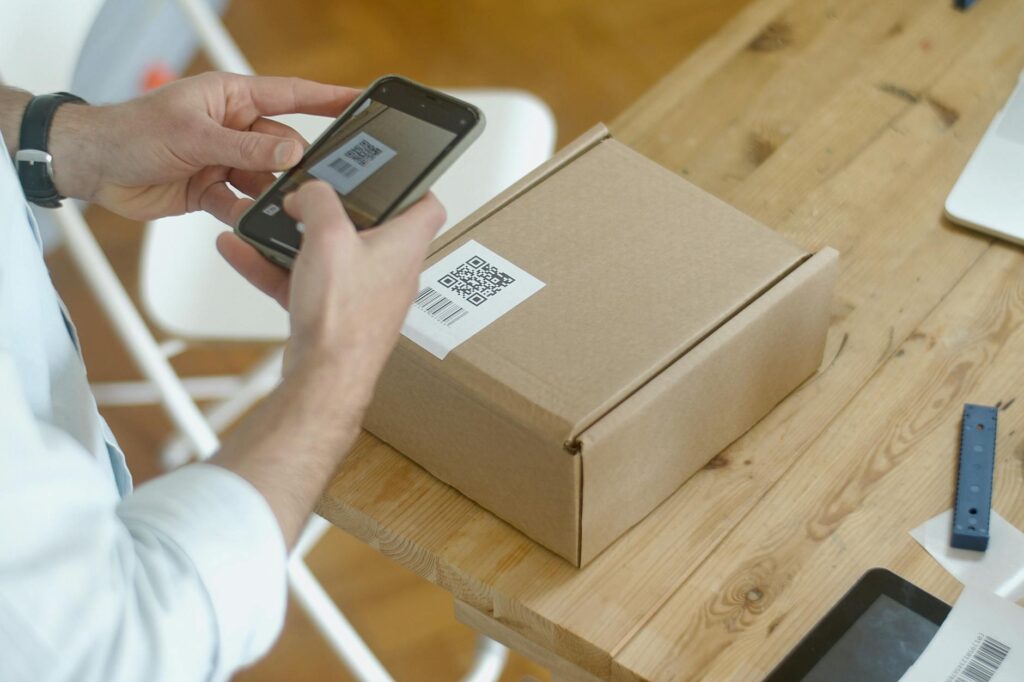
Amazon may show different return methods depending on your item, location, seller, and return reason.
| Return Method | Best For | What You Usually Need |
|---|---|---|
| Label-free, box-free drop-off | Small eligible items | Item + Amazon QR code |
| QR code drop-off | Fast returns without printing | Phone or printed QR code |
| Printed return label | Items that need shipping | Box + printed label |
| Amazon Locker return | Eligible small items | Amazon instructions and code |
| Carrier drop-off | Packages that need a shipping label | Packed item + label |
| Scheduled pickup | Large or bulky items | Item packed as instructed |
Not every item qualifies for every return method. Amazon will show the available options after you start the return request.
Step-by-Step: How to Return an Amazon Item
Step 1: Go to Your Orders
Log in to your Amazon account and go to Your Orders.
Find the item you want to return. If you order often, use the search box or filter by date.
Step 2: Select “Return or Replace Items”
If the product is eligible, you should see a button that says Return or Replace Items.
If you do not see that button, it may mean:
- The return window has closed.
- The item is not eligible for return.
- The order is from a third-party seller with different instructions.
- The item was already returned or replaced.
- The order is still being processed.
- You need to contact Amazon Customer Service.
Do not guess. Open the order details and read the available options.
Step 3: Choose a Return Reason
Amazon will ask why you are returning the item.
Common reasons include:
- Ordered by mistake
- Bought the wrong item
- Item arrived damaged
- Item defective or does not work
- Missing parts or accessories
- Inaccurate website description
- Better price available
- No longer needed
Choose the most accurate reason. This matters because it may affect your return method, shipping cost, or refund option.
Step 4: Choose Refund, Replacement, or Exchange
Depending on the product, Amazon may offer:
- Refund to original payment method
- Refund to Amazon gift card balance
- Replacement
- Exchange
- Store credit
If you need the money back to your card, choose the original payment method when available. If you want to buy something else quickly, an Amazon gift card refund may appear as an option.
For official details, check Amazon’s Refund Timelines.
Step 5: Pick a Return Method
Amazon may show one or more return methods.
For eligible items, you may see a label-free or box-free drop-off option. After completing the return request, Amazon may provide a QR code. You bring the item and QR code to the selected drop-off location.
Amazon explains this process here: Return Items You Ordered.
For other returns, you may need to print a shipping label and pack the item yourself.
Step 6: Pack the Item Correctly
If Amazon tells you to ship the item in a box, pack it carefully.
Before sealing the package:
- Include all accessories.
- Include manuals or parts if required.
- Use the original packaging if possible.
- Remove old shipping labels from the box.
- Take photos of the item and packaging.
- Keep any return authorization or instructions.
For fragile items, use padding so the product does not get damaged in transit.
Step 7: Drop Off or Ship the Return
Bring the item to the selected drop-off location or carrier.
If you have a QR code, keep it ready on your phone. If you printed a label, attach it clearly to the package.
Always keep proof of drop-off.
This can include:
- Drop-off receipt
- Tracking number
- Email confirmation
- Screenshot of return status
- Photo of the package before shipping
Do not throw away proof until your refund is fully processed.
Can You Return Amazon Items Without a Box?
Sometimes, yes.
Amazon may offer label-free and box-free returns for eligible items. In that case, you bring the item and QR code to the selected drop-off location, and the return partner handles the packaging and shipping.
But this is not available for every product.
You may still need a box if:
- The item is large
- The item is fragile
- The item is high-value
- The return instructions require packaging
- The drop-off method does not support box-free returns
- The product came from a third-party seller
Always follow the exact instructions shown during the return process.
Do You Need to Print an Amazon Return Label?
Not always.
Many Amazon returns now use QR codes instead of printed labels. If Amazon gives you a QR code return option, you can usually show the code at the drop-off location.
You may need to print a label if:
- You choose a carrier shipping option
- The item does not qualify for label-free returns
- The return is handled by a third-party seller
- The drop-off location requires a label
- Amazon specifically tells you to print one
If you do not have a printer, choose a QR code or label-free option when it is available.
How Long Do Amazon Refunds Take?
Amazon refund timing depends on the item, payment method, return method, and when the return is received or scanned.
Some refunds may begin after the item is dropped off or scanned. Others may take longer, especially if the item needs to be inspected.
Refund timing can also vary by payment method:
- Credit card
- Debit card
- Amazon gift card balance
- Promotional credit
- Store card
- Third-party seller refund
For the latest official information, check Amazon’s Refund Timelines.
Tip: Track the Return Status
After you send the item back, go to Your Orders and check the return status.
Look for updates such as:
- Return started
- Item dropped off
- Item in transit
- Return received
- Refund issued
- Refund completed
If the refund is delayed, your tracking proof will help if you need to contact Amazon Customer Service.
What If the Return Button Is Missing?
If you do not see Return or Replace Items, do not panic.
Here are the most common reasons:
The Return Window Closed
Many Amazon items use a 30-day return window. If that period has passed, the return button may disappear.
You can still open the order and check whether customer support options are available, especially if the item is defective or arrived damaged.
The Item Is Not Returnable
Some products are marked as non-returnable. This may apply to certain digital goods, personal care items, food items, custom products, or hazardous materials.
The Item Was Sold by a Third-Party Seller
Third-party seller returns may follow different instructions. You may need to contact the seller through Amazon or follow the seller’s return process.
The Order Is Too New
If the item has not shipped or has not been delivered yet, Amazon may show cancellation or delivery options instead of return options.
You Are in the Wrong Account
If you have multiple Amazon accounts, make sure you are logged into the account that placed the order.
Returning Items Sold by Third-Party Sellers
Amazon returns can be different when the product is sold by a third-party seller.
Before buying, check the product page for:
- Sold by
- Fulfilled by
- Ships from
- Return policy
- Seller rating
- Delivery estimate
If the item is sold and fulfilled by a third-party seller, Amazon says you should use the return label and address provided by that seller.
Read Amazon’s official page here: Returns to Third-Party Sellers.
What to Watch For With Third-Party Returns
Be careful with:
- Return shipping costs
- Restocking fees
- Different return addresses
- Slower refund timing
- International return addresses
- Seller communication delays
- Items that must be returned unopened
If a third-party seller does not solve the issue, Amazon’s A-to-z Guarantee may help in eligible cases. You can read more here: Amazon A-to-z Guarantee.
How to Avoid Return Problems Before Buying
The best Amazon return is the one you never need to make.
Before buying, check:
- Product title and model number
- Size chart
- Color and variation
- Compatibility
- Seller name
- Fulfilled by Amazon or third-party seller
- Return eligibility
- Recent reviews
- Warranty information
- Shipping date
- Final checkout price
This is especially important for electronics, shoes, clothing, furniture, appliances, auto parts, and beauty products.
Also check whether a deal is actually worth it before buying. You can compare offers through DealZenoHub’s Browse Coupons and read our guide on how to find working coupon codes in 2026.
Amazon Return Checklist
Before sending your item back, use this checklist:
- Confirm the item is eligible for return.
- Check the return deadline.
- Choose the correct return reason.
- Save the QR code or return label.
- Include all accessories and parts.
- Pack the item as instructed.
- Remove old labels from the box.
- Take photos before sealing the package.
- Keep your drop-off receipt.
- Track your refund status.
This simple checklist can prevent many refund delays.
Common Amazon Return Mistakes
Avoid these mistakes:
- Returning the wrong item
- Forgetting accessories
- Missing the return deadline
- Throwing away drop-off proof
- Using the wrong return label
- Sending the item to the wrong address
- Ignoring third-party seller instructions
- Returning a damaged item without photos
- Assuming every item qualifies for box-free returns
- Expecting every refund to be instant
Returns are easier when you follow Amazon’s instructions exactly.
Final Verdict: Amazon Returns Are Easy If You Follow the Exact Instructions
Returning Amazon items in 2026 is usually simple, especially when the item qualifies for QR code, label-free, or box-free returns.
The key is to check your order details first.
Go to Your Orders, start the return, choose the correct reason, follow the packaging instructions, and keep proof until your refund is complete.
For most shoppers, the biggest return problems come from missing the deadline, throwing away proof, returning incomplete items, or misunderstanding third-party seller rules.
Use Amazon as your official source for the return process. Use DealZenoHub before buying to compare available coupons, deals, and shopping guides so you can avoid unnecessary purchases and reduce the chance of returns in the first place.
FAQ: Returning Amazon Items in 2026
How long do I have to return Amazon items?
Amazon says most eligible items can be returned within 30 days of delivery if they are in original or unused condition. Some products may have different rules, so always check the item inside Your Orders.
Can I return Amazon items without a box?
Sometimes. Amazon may offer label-free and box-free returns for eligible items. If that option appears, you can usually bring the item and QR code to the selected drop-off location.
Do I need to print a return label?
Not always. If Amazon gives you a QR code return option, you may not need to print a label. If the return requires shipping with a carrier, you may need to print and attach a label.
When will I get my Amazon refund?
Refund timing depends on the payment method, item type, return method, and whether the item needs inspection. Check Amazon’s Refund Timelines page for the latest details.
Why is the Return or Replace Items button missing?
The button may be missing because the return window closed, the item is not returnable, the item was sold by a third-party seller, the order is too new, or you are logged into the wrong account.
Can I return third-party seller items on Amazon?
Yes, many third-party seller items can be returned, but instructions may differ. Use the return label and address provided by the seller and follow the seller’s return instructions.
Are all Amazon items returnable?
No. Some items are not returnable or have special return rules. Always check the return eligibility for the specific order inside Your Orders.
What should I keep after dropping off an Amazon return?
Keep your drop-off receipt, tracking number, QR code email, and any return confirmation until the refund is complete.