If you see a message saying “discount code request was not applied,” it usually means the coupon code does not meet the store’s terms.
The code may be expired, limited to certain products, blocked by a minimum spend requirement, or unavailable in your country or account. Before giving up, check the coupon terms, remove excluded items, confirm the minimum order value, and enter the code again without extra spaces.
We’ve all been there. You fill your digital cart and get ready to save money. But then, your Coupon Code turns out to be invalid. This can turn a moment of excitement into frustration.

These digital barriers stop you from getting the Online discounts you want. It might be an expired Promo code or a technical glitch. A good Shopping assistant can help you get past these problems and make checkout smoother.
Understanding why these offers fail is key to smarter saving. By knowing common policy and technical mistakes, you can better manage your budget. This guide will show you how to fix these issues so you never miss a deal.
Key Takeaways
- Identify why your discount might be rejected at checkout.
- Learn how to verify if a deal is active.
- Discover how a digital tool can simplify your savings.
- Understand the difference between technical errors and expired offers.
- Master simple steps to fix common checkout issues.
Common Reasons Why a Coupon Code Fails
Online discounts can be tricky. Sometimes, a Coupon Code won’t work at checkout. Knowing why is key to getting the best deals.

Expired Promotional Offers
The top reason for a failed discount code is expiration. Retailers change promotional offers often. Always check the fine print to avoid using expired coupons.
Geographic Restrictions and Regional Limitations
Some promo codes are only for certain areas. If you’re online shopping from outside the target market, the system might block you. This is common for promotional offers aimed at specific regions.
Minimum Purchase Requirements Not Met
Many discounts need you to meet certain cart conditions. For example, you might need to spend a certain amount or add a specific number of items. If you’re short, the discount code won’t work. Always check your cart conditions to avoid this issue.
How to Properly Apply a Coupon Code
Getting your digital coupons to work right is key. It’s not always easy, as small mistakes can cause big problems. Here are some troubleshooting tips to make sure you save money without stress during your online shopping.
For example, some fashion promo codes like the SHEIN 24J2 coupon may only work on eligible orders and may fail if your cart includes excluded items.

Copying and Pasting Without Extra Spaces
When copying a discount code, your computer might pick up invisible spaces. These spaces can make the site reject your code. Always make sure your cursor is right up against the code’s start and end.
Case Sensitivity and Character Errors
Most sites are case-sensitive, so “a” and “A” are treated differently. If your promo code has letters and numbers, type it exactly as shown. Common mistakes include mixing up numbers and letters, like zero for “O” or one for “L.”
Selecting the Correct Checkout Field
Timing is key when you’re ready to pay. Some sites have a “Promo Code” box early on, while others wait until the end. If you can’t find it, look for “Add Discount” or “Apply Voucher” links.
- Verify the code: Always re-read the string before clicking the apply button.
- Check the timing: Make sure you enter the coupon code before confirming your payment.
- Clear the field: If a promo code doesn’t work, delete it before trying again.
- Confirm the discount: Wait for the page to refresh and check that the price has dropped.
Navigating Store-Specific Exclusions
Many shoppers get upset when a Coupon Code doesn’t work. But, it’s often because of store rules. Stores have rules that limit how you can use coupons. Knowing these Coupon exclusions helps you shop smarter and save more.
Identifying Items Excluded from Discounts
Not every product can use a Discount code. Stores often don’t offer discounts on popular items like new games or designer bags. Always check the product page to see if it’s eligible for discounts.
Understanding Brand-Specific Restrictions
It’s not just the item, but also the brand. Some Retailer policies are set by the brand. Even with a valid Coupon Code, it might not work if your cart has restricted brands.
Handling Sale Items and Clearance Limitations
When shopping during sales, managing your Cart conditions is key. Stores usually don’t let you use a Discount code on already discounted items. If your cart has sale items, the coupon might not work to avoid extra savings.
| Exclusion Type | Common Impact | Shopper Strategy |
|---|---|---|
| Brand Restrictions | Code rejected at checkout | Remove restricted brand |
| Clearance Items | Discount not applied | Use full-price items only |
| Category Exclusions | Error message appears | Check product eligibility |
| Minimum Spend | Code remains inactive | Add more qualifying items |
Knowing these Retailer policies helps you use Online discounts wisely. By checking your Cart conditions carefully, you can apply your savings correctly.
Technical Glitches and Browser Issues
Ever felt stuck by a discount that won’t work? Your web browser might be the real problem. We often point fingers at the retailer, but the issue is often in your own digital space. Using a Coupon Code needs specific scripts, which can be blocked by your settings.
Clearing Cache and Cookies for Fresh Sessions
Your browser cache helps websites load faster by storing temporary files. But, over time, this data can get outdated. This can cause problems when you try to use a new Promo code. Clearing your history makes sure the website uses the latest version of the checkout page.
Here’s how to refresh your session:
- Navigate to your browser settings menu.
- Find the privacy or security section.
- Choose to clear browsing data, focusing on cache and cookies.
- Restart your browser and try to use your discount again.
Disabling Ad-Blockers That Interfere with Scripts
Many people use shopping assistants or ad-blockers to improve their browsing. But, these tools can sometimes block the site’s discount scripts, thinking they’re ads. If your code isn’t working, try turning off your ad-blocker.
This simple step often fixes the problem right away. Once the discount is applied, you can turn your extensions back on for future browsing.
Switching Browsers or Using Incognito Mode
If the issue continues, try using an incognito or private window. This mode runs without your extensions or saved data. If the Coupon Code works here, it means your main browser settings are the problem.
| Method | Primary Benefit | Best Used For |
|---|---|---|
| Incognito Mode | Bypasses extensions | Quick testing |
| Clear Cache | Removes stale data | Persistent errors |
| Switch Browser | Isolates software bugs | Major site issues |
Using a different browser or a shopping assistant can offer a fresh look at the checkout process. This way, you can quickly find and fix the issue. You’ll never miss out on a valid Promo code again.
Account-Based Limitations and Restrictions
Knowing your account profile is key to a good savings strategy. Retailers target certain groups with their promotional offers. This means not every promotional offer is for everyone.
New Customer Versus Returning Customer Codes
Many sites offer a special discount code for new buyers. These welcome deals are tied to your email or browser cookies. They ensure the code is used just once. If you’ve bought from the store before, the code won’t work.
Single-Use Coupon Code Restrictions
Some brands give out unique, one-time-use codes to stop misuse. Once used, the code is no longer active. Trying to use it again will show an error message.
Loyalty Program Member Exclusivity
Loyal customers get special perks through loyalty programs. These members get exclusive discount codes not for everyone. You need to be logged in to get these offers.
| Account Type | Eligibility | Common Restriction |
|---|---|---|
| New Customer | First-time purchase only | Email must be new |
| Returning Shopper | General site-wide sales | Excluded from welcome offers |
| Loyalty Member | Exclusive rewards | Requires active login |
If you think you should get a certain promotional offer but can’t, reach out to customer support. They can check your account and apply the code if needed. Keeping your account history clear helps when you need customer support.
Third-Party Coupon Sites and Their Reliability
Digital coupons are a great way to save money, but where you get them is key for safety. Many use a shopping assistant to find deals. But not all sites are safe or accurate. Knowing how these sites work is important for a smooth checkout.
Why Aggregator Sites Often List Invalid Codes
A coupon aggregator uses automated software to find deals. This software doesn’t check if the codes are valid. So, it often shows expired or fake codes.
These sites rarely check if the codes work. So, a promo code might look good but not work at checkout. Using these sites can waste a lot of time.
Verifying Codes Through Official Newsletters
The best way to get a working coupon code is to get it directly from the retailer. They send special offers to their email subscribers. These codes are always valid because the brand manages them.
By signing up for newsletters, you get real digital coupons that fit your shopping style. This is a better shopping assistant than third-party sites. You’ll also be the first to know about sales and promotions.
Avoiding Phishing Scams Disguised as Discounts
Some fake websites look like real discount sites to steal your info. They might ask you to click on suspicious links or download software for a promo code. Always be careful if a site asks for personal info not needed for a normal purchase.
To check if a site is real, make sure the URL is the official retailer’s. If a deal seems too good, it might be a scam. Keeping your data safe is as important as finding digital coupons.
Troubleshooting Payment and Shipping Conflicts
Knowing how your checkout choices work with a Coupon Code is key for a smooth transaction. The final price isn’t just about what’s in your cart. Retailer policies can add unexpected costs.
Shipping Costs and Discount Applicability
Many think a discount code covers the whole order. But, it’s not always true. Some stores only apply discounts to the subtotal, not including shipping or taxes.
Using a promo code might lower your subtotal too much for free shipping. Always check if your discount works before or after shipping costs are added. This way, you won’t be surprised.
Payment Method Requirements for Specific Codes
Some promotional offers only work with certain payment methods. For example, a store might give an extra discount if you use their branded credit card.
Trying a different payment method might make the system reject the code. Or, it might change the price back to what it was. Always read the fine print to make sure your payment method is okay with the coupon exclusions.
Combining Multiple Offers and Stacking Policies
Trying to use more than one discount at a time can lead to problems. Stores usually don’t allow using more than one discount code per order.
If you try to stack codes, the checkout might show an error or ignore the second code. Knowing these rules helps you save money without losing your purchase.
| Conflict Type | Common Result | Best Practice |
|---|---|---|
| Shipping Threshold | Discount voids free shipping | Check subtotal after discount |
| Payment Restriction | Code rejected at checkout | Use required store card |
| Stacking Violation | Order cancellation | Use only one valid code |
Contacting Customer Support for Assistance
Don’t give up if your checkout fails. Expert customer support is just a message away. While some issues can be fixed with basic troubleshooting tips, others need a human touch. Reaching out to the retailer ensures your concerns are documented and addressed.
When to Reach Out to the Retailer
Contact the store if you’ve checked that your Coupon Code is valid. Make sure you’ve met all requirements. If clearing your browser cache and trying different devices doesn’t work, the issue is likely with the retailer’s system. Don’t hesitate to reach out if the discount code is key to your purchase.
What Information to Provide to Support Agents
Give the agent all the details about your attempt. Mention the exact Coupon Code you tried and the error message you saw. Screenshots are very helpful, as they show exactly what happened during checkout.
Be ready to share your account email and the items in your cart. This information helps the support team check if you’re eligible for the discount code right away. Clear communication usually leads to a quick resolution for you.
Requesting Price Adjustments After a Failed Code
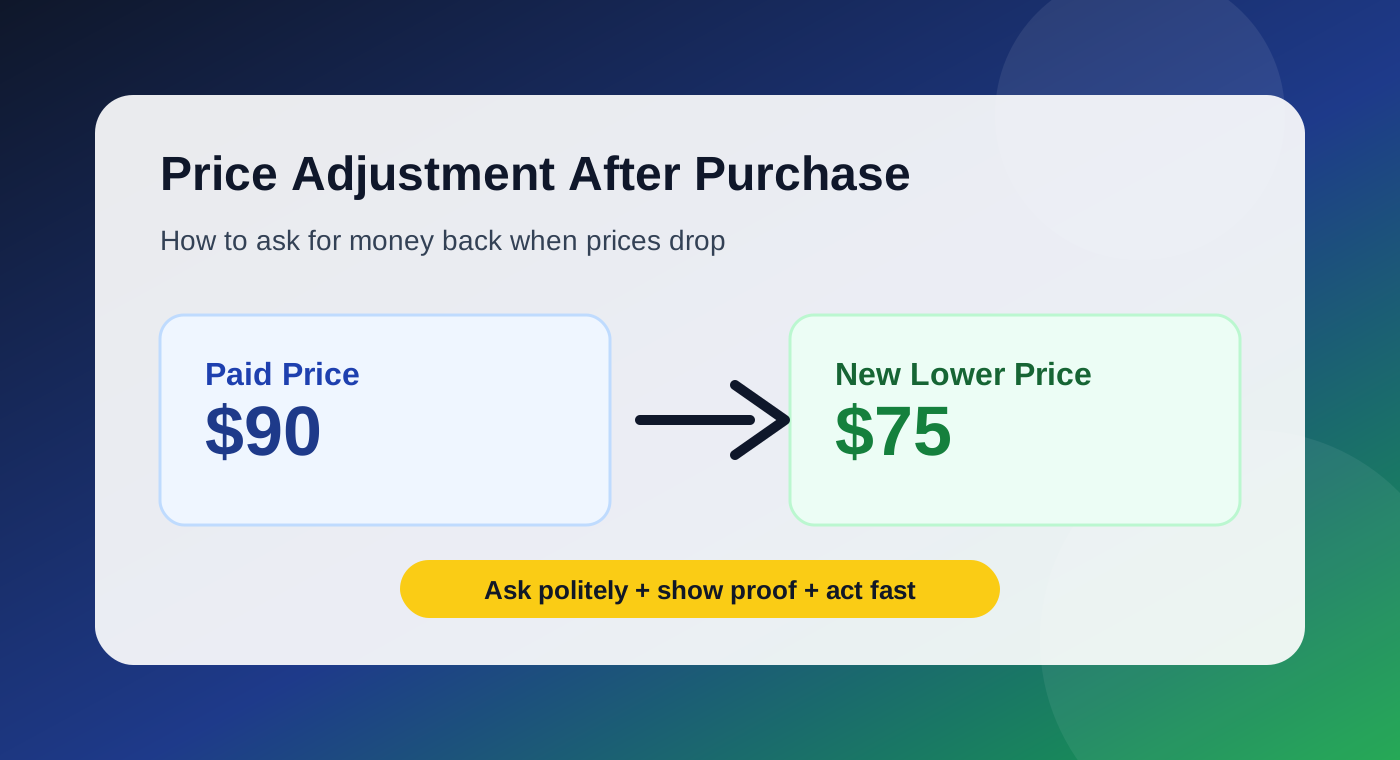
If you bought without the discount due to a technical error, you might get a refund. Many retailers will adjust the price if you prove the code was valid at the time. Just contact customer support with your order number and explain the situation nicely.
Standing up for yourself is smart shopping. By using these troubleshooting tips and staying professional, you can often get the savings you wanted. Most companies want to make customers happy and fix real system errors.
Conclusion
Smart shoppers know that a failed Coupon Code is just a minor hurdle in the quest for better prices. You now possess the tools to identify why a discount might not apply at checkout.
Taking control of your digital shopping cart requires patience and attention to detail. By verifying store policies and checking your browser settings, you turn frustration into successful savings. These habits ensure you capture the best Online discounts available for your favorite brands like Amazon or Target.
Keep these troubleshooting steps in mind during your next retail experience. You will spend less time guessing and more time enjoying your purchases. Share your own tips for finding a working Coupon Code with friends to help them save money too.
Your ability to navigate complex checkout systems makes you a savvy consumer. Stay updated on store newsletters to receive exclusive offers directly from retailers. Consistent practice makes it easy to secure the best Online discounts on every order you place.
FAQ
Why is my Coupon Code being rejected at the checkout screen?
There are a few reasons why a Discount code might not work. Often, it’s because the coupon has Expired or has Geographic restrictions. Also, make sure your Cart conditions meet the Minimum purchase requirements. Retailers like Target or Walmart usually require a certain amount before applying a discount.
How can I ensure I am entering my Promo code correctly?
When Shopping online, accuracy is key. To avoid Character errors, copy and paste the code instead of typing it. Remember, some codes are Case sensitive and shouldn’t have extra spaces. Tools like Honey or Capital One Shopping can also help with this.
Why doesn’t my discount apply to specific items in my cart?
Retailers often have strict rules about what items can be discounted. For example, a discount at Best Buy might not apply to Apple or Sony products. Also, Sale items and clearance products usually can’t be discounted further, unless the Retailer policies allow it.
Can my browser settings interfere with a Digital coupon?
Yes, browser settings can sometimes cause problems. High-security settings or extensions like AdBlock Plus and uBlock Origin might block the coupon. Try Clearing cache and cookies or using Google Chrome’s Incognito mode or Apple Safari’s Private Browsing to solve the issue.
Why did the code work for my friend but not for my account?
Many Promotional offers are for new customers only. This means they won’t work for returning shoppers. Some discounts are also for Loyalty program members, like Sephora Beauty Insider or Nike Membership.
Are Coupon aggregator sites like RetailMeNot reliable?
While Coupon aggregator sites like RetailMeNot or Slickdeals can be useful, they sometimes have outdated or incorrect information. For the best results, check codes through official newsletters. This way, you avoid Phishing scams found on unverified sites.
Can a specific payment method affect my discount eligibility?
Yes, some Promotional offers are only valid with certain Payment methods. For example, a discount might only apply if you use PayPal, Klarna, or a specific credit card. Also, be aware of stacking policies; some stores won’t honor a Discount code if you’re already getting free shipping.
What should I do if a valid Coupon Code won’t work?
If you’ve tried all the Troubleshooting tips and the code doesn’t work, contact the retailer’s Customer support. Give them the code, your Cart conditions, and any error messages. Companies like Nordstrom or Macy’s can usually help by applying the discount manually or adjusting the price.